
The layer between your traffic and your checkout.
Lexsis builds, tests and improves the pages your visitors land on. Shopify keeps running your products, cart and checkout.
Four jobs. One platform.
Each job has its own page and its own tools, and all four share what they learn about your visitors. Start with one, add the rest when you need them.

 Start with morrow's barrier duo, a serum and cream…Cited
Reach more visitors
See where AI answers and search leave you out, then publish the pages and guides that get you cited.
- Buying guides
- Comparison pages
- Blog articles
- AI visibility tracking

 Your 2-step barrier routine.
Convert more clicks
Give every ad, search and email its own landing page, with the same promise, products and offer that earned the click.
- Meta, Google and TikTok ad pages
- Email and SMS pages
- Launch and offer pages

Help visitors choose
Answer questions, compare products and guide each visitor to the right one, in your brand's voice.
- On-page shopping agent
- Product quizzes
- Routines and bundles

Improve what works
Test complete page versions against a stable control, and keep the one that sells.
- Complete-page tests
- Fixed or adaptive traffic
- Manual or managed decisions
Lexsis runs the pages. Shopify runs the store.
Lexsis is a page layer that sits on top of your store. You keep your theme, your catalog and your checkout. Lexsis adds the pages each visit needs.
 AI answers
 Pages and tests
- Page content, design and section order
- Which page each campaign and visitor sees
- Answers, recommendations and quizzes
- Experiments, traffic splits and results
- Your catalog, prices and stock levels
- Cart and checkout, exactly as they run today
- Customers, orders and payments
- Your theme, for every page Lexsis doesn't build
The page the visit needs.
Match the page to the campaign, product, collection or question that brought the visitor in. Every one uses your live products, cart and checkout.
Ad landing page
Continues the ad's promise, product and offer in the first screen.
Meta · Google · TikTok
Product launch page
Tells the story of a new product before it reaches the catalog grid.
Launches · drops
Campaign collection
A curated set of products for one season, offer or audience.
Sales · seasonsHomepage test
A new homepage direction tested against the one you have.
A/B testingQuiz and funnel
A few questions that end on the right product or bundle.
Guided sellingComparison page
Puts two products, or you and an alternative, side by side.
Search · AI answers
Buying guide
Answers the question shoppers ask in search and AI tools.
AI visibilityPre-launch page
Collects interest before a product or collection goes on sale.
WaitlistsBuilt from real commerce parts.
Every page is assembled from Islands, reusable components connected to your Shopify store. Prices, variants and stock stay correct without anyone copying them over.

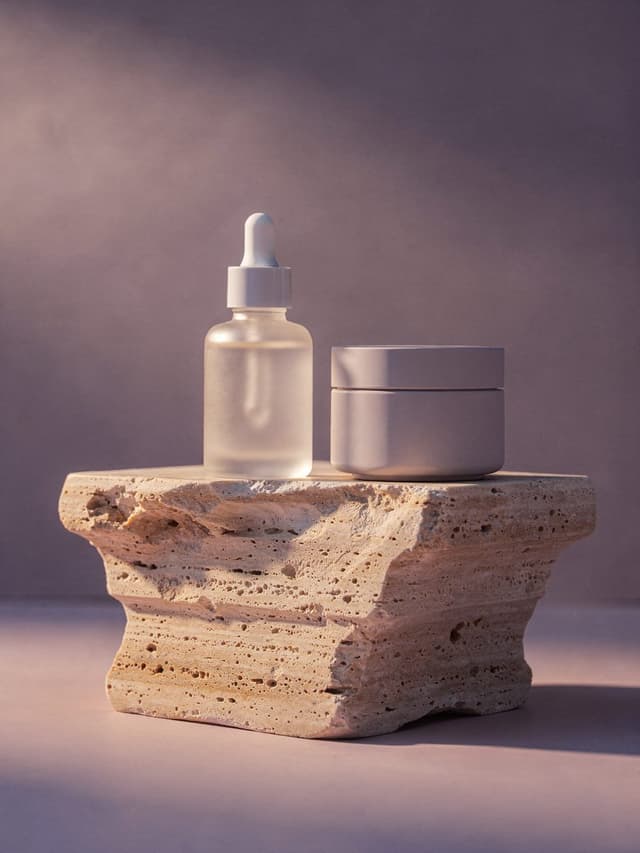
 Gentle cleanserDaily serumBarrier creamSkin barrier duo · 50 ml
See what every page earns.
Page behaviour and Shopify orders in one view, by page, campaign, device and section. Purchases flow back to your ad platforms, so every campaign is judged on revenue.
Showing up in ChatGPT and Google AI Overviews within 30 days.
From an idea to a live test.
One goal at the start, one decision at the end. Nothing reaches your visitors until your team has looked at it.
- Step 01
Pick the page and the goal
An ad that isn't converting, a launch, a collection, or a page you want to beat.
- Step 02
Lexsis builds it from your store
Your products, brand, reviews and campaign, assembled into a full draft page.
- Step 03 · Your review
Check it on desktop and mobile
Edit anything, approve it, or send it back. Every page stays a draft until you approve it.
- Step 04
Publish it, or test it
Send all traffic to the new page, or split it against the current one and let the results decide.
In the Lexsis app
Build, review and publish pages, and follow every test, from one workspace.
Log in →From your AI tools
Run Lexsis from Claude, ChatGPT or Cursor through Lexsis MCP, included on every self-serve plan.
Explore Lexsis MCP →With the tools you run
Shopify, Klaviyo, Yotpo, Judge.me, Meta Ads, Google Ads, GA4 and Search Console.
See all integrations →Does Lexsis replace my Shopify theme?
No. Lexsis adds pages on top of your store. Your theme keeps serving every page Lexsis doesn't build, and Shopify keeps handling products, pricing, inventory, cart, checkout, customers and orders.
What kinds of pages can I build?
Ad landing pages, product launch pages, campaign collections, homepage tests, quizzes and funnels, comparison pages, buying guides and pre-launch pages.
Can a page go live without my approval?
No. Every page Lexsis builds stays a draft until someone on your team reviews it and publishes it.
What does a test compare?
Complete pages, not just button colours. A test can compare different messages, offers, heroes, section orders or layouts against a stable control, and each visitor keeps seeing the same version.
Does Lexsis guarantee AI citations?
No one can. Lexsis shows where you are missing from AI answers and publishes the pages and product evidence that make you easier to recommend. Results vary by category, competition and how quickly fixes go live.
Can I use Lexsis from Claude or ChatGPT?
Yes. Lexsis MCP connects Claude, ChatGPT, Cursor and other AI tools to your workspace, and it is included on every self-serve plan, the free plan too.

Bring one page you want to improve.
Get a free audit of the opportunities already on your site, or book a demo and build and test one page with the team.